![FlatFrog_logo.svg]](https://help.flatfrog.com/hubfs/FlatFrog_logo.svg)
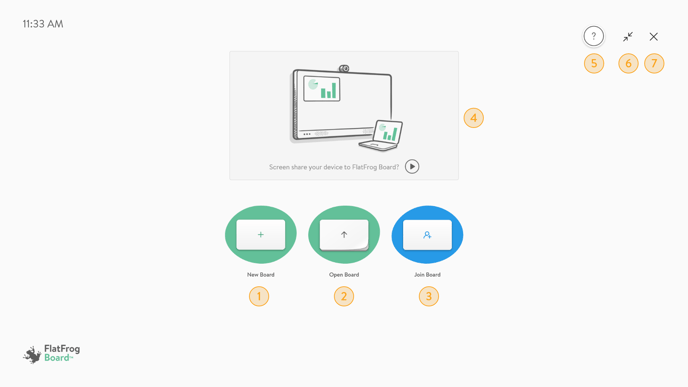
- New Board - Create a blank new Board.
- Open Board - Open an existing Board.
- Join Board - Join a Board hosted by another user. Learn more here.
- Screen Sharing - Screen share content from your personal device to FlatFrog Board for presentation and annotation. Learn more here.
- Tutorial - Use the tutorial to master the basics of FlatFrog Board.
- Full Screen Toggle - The app is best experienced in Full Screen, you can use this button to toggle between Full Screen and Windowed.
- Close - Close FlatFrog Board.