![FlatFrog_logo.svg]](https://help.flatfrog.com/hubfs/FlatFrog_logo.svg)
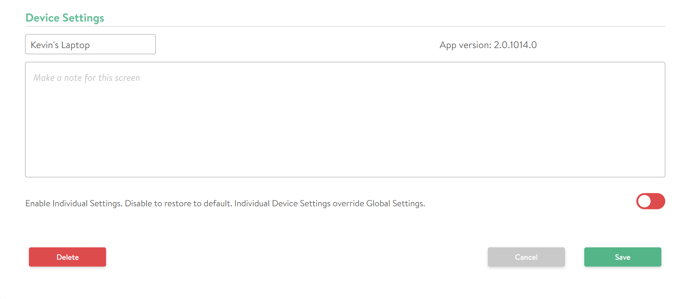
You can remove a device by accessing the Device Settings by going to Devices in the Admin Portal. In this window you will find the 'Delete' button inn the lower left corner.
 You may add the device again later by inputting the license code when you start up the application on the same device.