![FlatFrog_logo.svg]](https://help.flatfrog.com/hubfs/FlatFrog_logo.svg)
When prompted to enter your license, navigate to the bottom of the window and click on "Have an Enterprise License?"
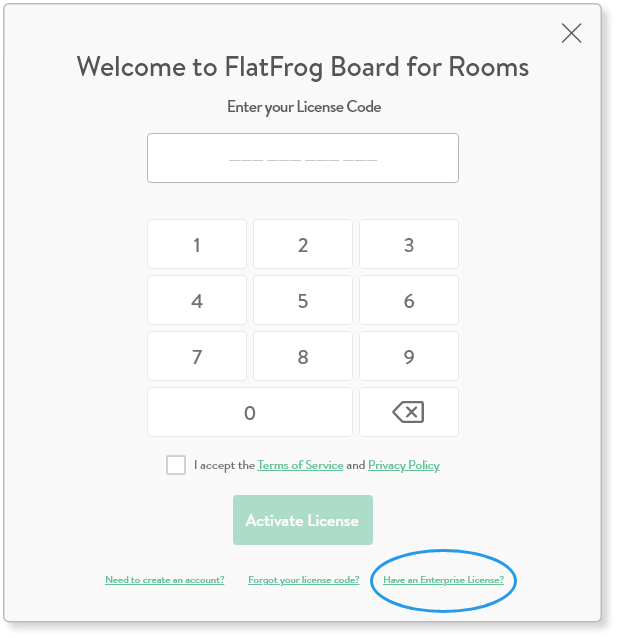
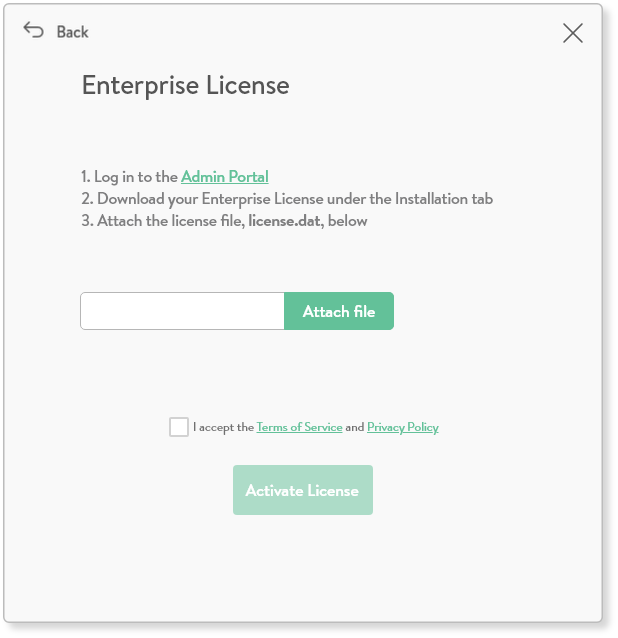 |
In this window you are given the instructions on how to obtain your license file.
Be sure to accept the Terms of Service and Privacy Policy, then click Activate License. |
You will find the license file on the Admin Page. Download this file and attach it in the designated field in the License window.
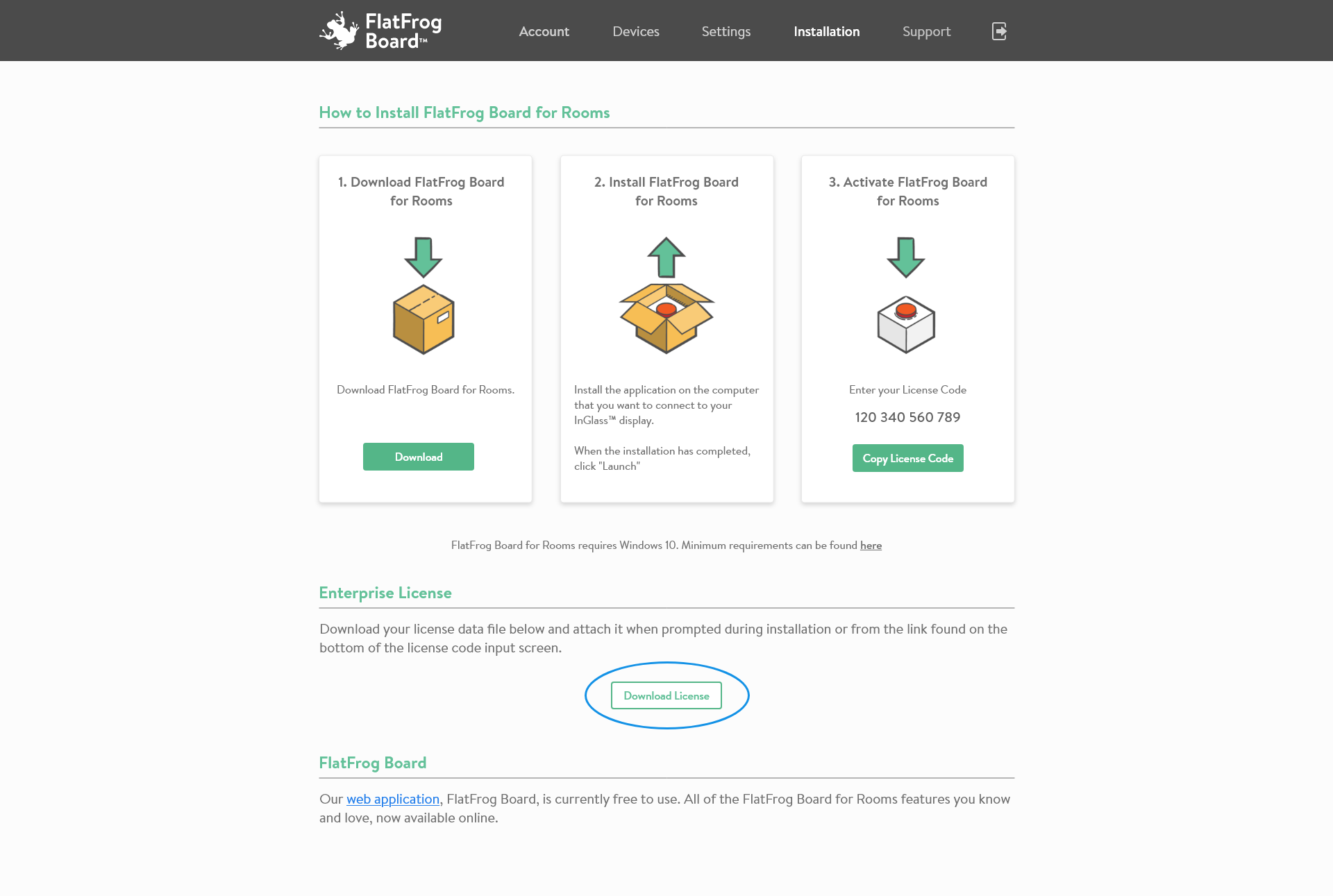
You will only see the option to download the license file if you have access to an Enterprise customer. To learn more contact us at support@flatforg.com